// Cisco Secure Client, repackaged for any MDM
Ship Cisco Secure Client to any MDM.
CisGO Packager turns the Cisco Secure Client pre-deployment DMG into a customized, deployment-ready .pkg — pick your modules, inject your profiles, and build in a couple of clicks. No Terminal commands required.
// features
Built for Mac admins.
Everything Cisco's admin guide asks you to do by hand — module selection, profile injection, XML transforms — done for you, safely.
Drag-and-drop DMG
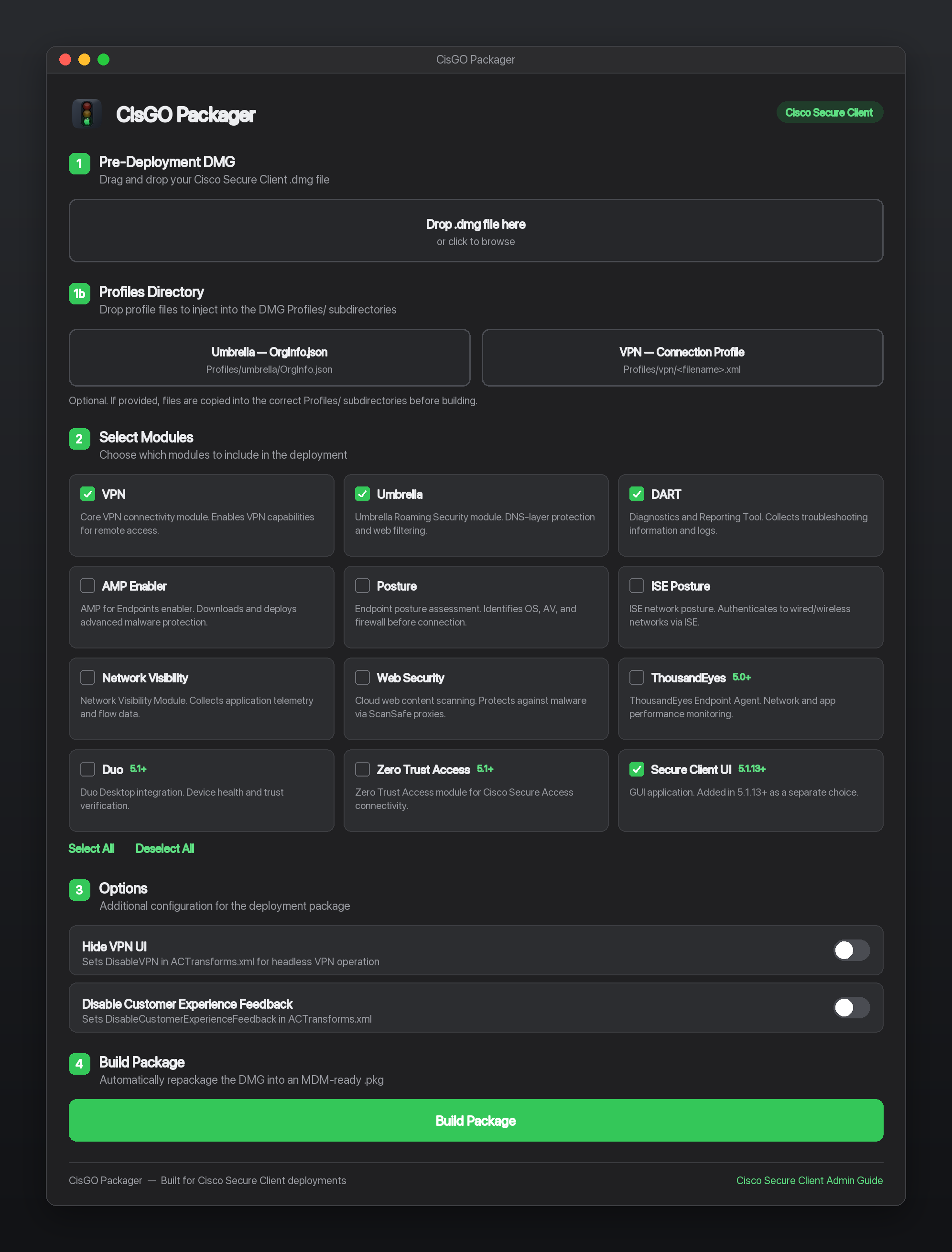
Drop your Cisco Secure Client pre-deployment .dmg and the whole build runs automatically — convert, mount, inject, package.
Pick your modules
Choose from all 12 module choice identifiers — VPN, Umbrella, DART and more — each with a description and version badge.
Inject profiles
Drop an Umbrella OrgInfo.json and a VPN .xml profile — they land in the right Profiles/ paths at install time.
ACTransforms options
Toggle Hide VPN UI for headless operation and disable Customer Experience Feedback — written straight into ACTransforms.xml.
Signature-safe
Cisco's signed .pkg is never modified. A wrapper carries it and applies your choices via a postinstall script — signature intact.
macOS & Windows
A native SwiftUI app and a WPF / .NET 8 port. Windows admins can prep the Cisco client for their Mac users — both produce the same .pkg.
// modules
All 12 modules, one keystroke each.
Every Cisco Secure Client module choice identifier is supported. Enable only what you deploy, skip the rest.
Core VPN connectivity for remote access.
DNS-layer protection and web filtering.
Diagnostics and Reporting Tool — logs and troubleshooting.
AMP for Endpoints — advanced malware protection.
Endpoint posture assessment before connection.
Network posture and authentication via ISE.
Application telemetry and flow data.
ScanSafe cloud proxy for web content scanning.
Endpoint Agent — network and app performance monitoring.
Duo Desktop — device health and trust verification.
Zero Trust Access for Cisco Secure Access connectivity.
The GUI application — a separate choice since 5.1.13.
// how it works
From DMG to MDM in four steps.
The workflow follows the Cisco Secure Client Admin Guide — automated end to end.
Drop the DMG
Drag in your Cisco Secure Client pre-deployment .dmg. CisGO converts it to a writable image and mounts it — no manual hdiutil.
Choose modules & profiles
Select the modules to install and drop in your Umbrella OrgInfo.json or VPN .xml. CisGO writes install_choices.xml and ACTransforms.xml for you.
Build the package
A wrapper .pkg is built with pkgbuild, carrying Cisco's original signed package plus your XML and profiles as script resources.
Deploy with your MDM
At install, the postinstall script applies your module choices and copies profiles into /opt/cisco/secureclient/. Upload to Intune, Jamf, Kandji or Mosyle.
// screens
See it in action.
Tap the screen to view it full size.
// support
Help & FAQ.
Quick answers to the most common questions.
Which platforms are supported? ›
A native macOS app (SwiftUI, macOS 14 Sonoma or later) and a native Windows app (WPF / .NET 8) for admins who run Windows but deploy to Mac users. Both produce the same macOS .pkg.
Does it modify Cisco's package? ›
No. The original Cisco .pkg is never touched — modifying it would break Cisco's code signature. CisGO builds a wrapper package that carries the original, your install_choices.xml, and profile files, then installs everything via a postinstall script.
Which MDMs does the output work with? ›
Any MDM that deploys a standard macOS PKG — Intune, Jamf, Kandji, Mosyle, and others. You'll typically also allow the Cisco system extension (team ID DE8Y96K9QP) and configure Managed Login Items in your MDM.
Where do injected profiles end up? ›
Umbrella OrgInfo.json goes to /opt/cisco/secureclient/umbrella/ and a VPN connection profile goes to /opt/cisco/secureclient/vpn/profile/, with correct ownership and permissions — handled by the wrapper's postinstall script.
Is the app signed and notarized? ›
Prebuilt downloads are ad-hoc signed, not notarized. On first launch, right-click the app → Open, or run xattr -dr com.apple.quarantine "/Applications/CisGO Packager.app". The build script also supports full Developer ID signing + notarization if you build from source.
Does CisGO collect any data? ›
No. Everything runs locally on your machine — there are no accounts, analytics, or trackers, and nothing is sent anywhere. It's open source under the MIT license.